
Hosting know-how from the people who keep your sites online.
Practical guides on WordPress, email deliverability, cloud servers and security — plus product news from the WebGee team.
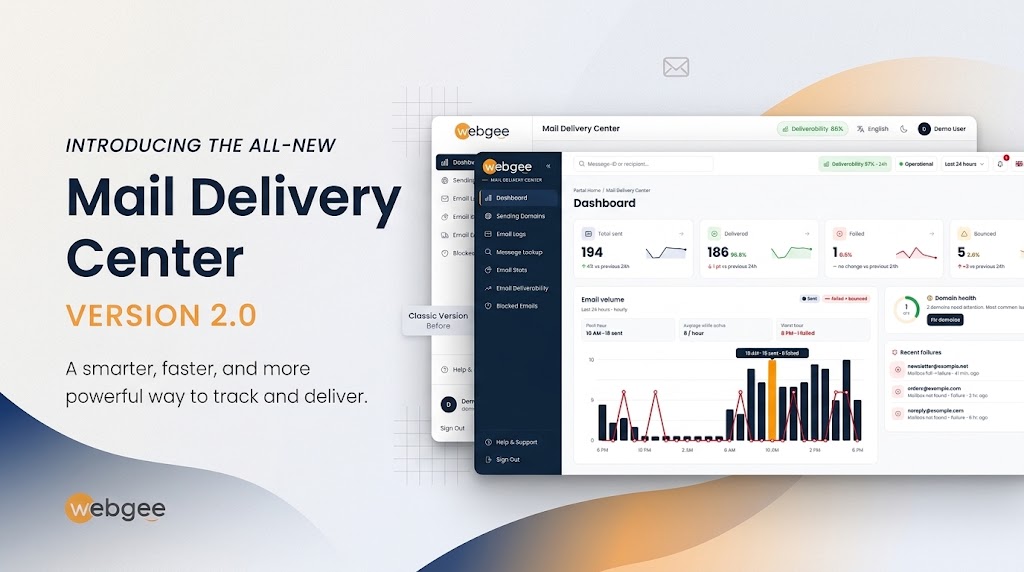
The new Mail Delivery Center: a page-by-page tour, with screenshots
We rebuilt the Mail Delivery Center. Here is every page of the new version — dashboard, message timelines, logs, DNS health, stats, deliverability and blocks — and when to use each one.
Latest articles
Your First Hour With a WebGee Cloud Server: Setup, SSH Keys, Backups and DNS
A practical walkthrough of your first hour with a new WebGee cloud server: installing the OS from the Cloud Console, logging in with an SSH key, setting reverse DNS, taking your first backup and knowing how to get back in if you lock yourself out.
Why Your Shared Hosting Site Is Slow: LVE Limits, 503 Errors and PHP X-Ray
A slow site or a 503 Resource Limit Reached error on shared hosting is almost always an application problem, not a server fault. Here is how to read your LVE limits, find the cause with Resource Usage and PHP X-Ray, and bring usage back down.
Pointing Your Domain at WebGee: Nameservers, A Records and Safe Switchovers
Choose between WebGee's nameservers and an A record, check where your DNS is really served from, preview your site before you switch, and point your website elsewhere without breaking email.
Free SSL, Forced HTTPS and Mixed Content: Securing Your Site on WebGee
Issue a free AutoSSL certificate, send every visitor to HTTPS and clear the mixed content warnings that hide your padlock, in the order that avoids redirect loops and browser errors.
Why your emails land in spam, and what to fix first: SPF, DKIM, DMARC and limits
Most mail that lands in spam fails on authentication or on how it is sent. Here is the order to check things in on WebGee hosting, from SPF, DKIM and DMARC to sending limits and common 550 rejections.
Speed Up WordPress on WebGee With LiteSpeed Cache and Redis
Turn on LiteSpeed Cache, add Redis object caching and replace WP-Cron with a real cron job to make your WordPress site and dashboard noticeably faster.
Move a WordPress Site to WebGee With No Downtime: A Complete Guide
Copy your WordPress site to WebGee, test it on a private preview address, and only then switch DNS, so visitors never see a broken site.